• Accessibility (local)

    • Accessibility Plugin Screenshots

    • An accessibility plugin that allows users to customize the visual appearance of a Moodle to suit individual preferences.

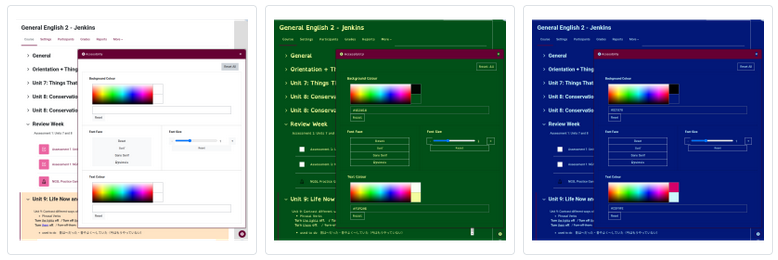
      The plugin appears throughout the Moodle site on all pages (including the login page) as an accessibility symbol button  in the lower-right corner of the page. Clicking on the button produces a panel that contains the widgets that are available on the site. The base pack of widgets includes widgets for text colour, background colour, font face, font size, kerning, letter spacing, line height, link highlighting and image visibility. The colour widgets are designed to let the user choose their preferred colours without being restricted to a small selection of palettes. 

      Widgets are subplugins to local_accessibility that can be developed separately to add functionality as needed.

      Special thanks to Ms. Alexandra Burke for the input, advice, and inspiration that she brought to this project. Without Alex's help, this plugin would never have been created.

      Initial development of this plugin was funded by the Shizuoka Institute of Science and Technology. Further funding was provided by the Moodle Association of Japan.This plugin has been translated into Japanese 日本語翻訳済プラグインです。